Skill API Installation Guide
Follow the steps below to create a Skill API key and install the SmartLink skill in your AI agent.
Steps
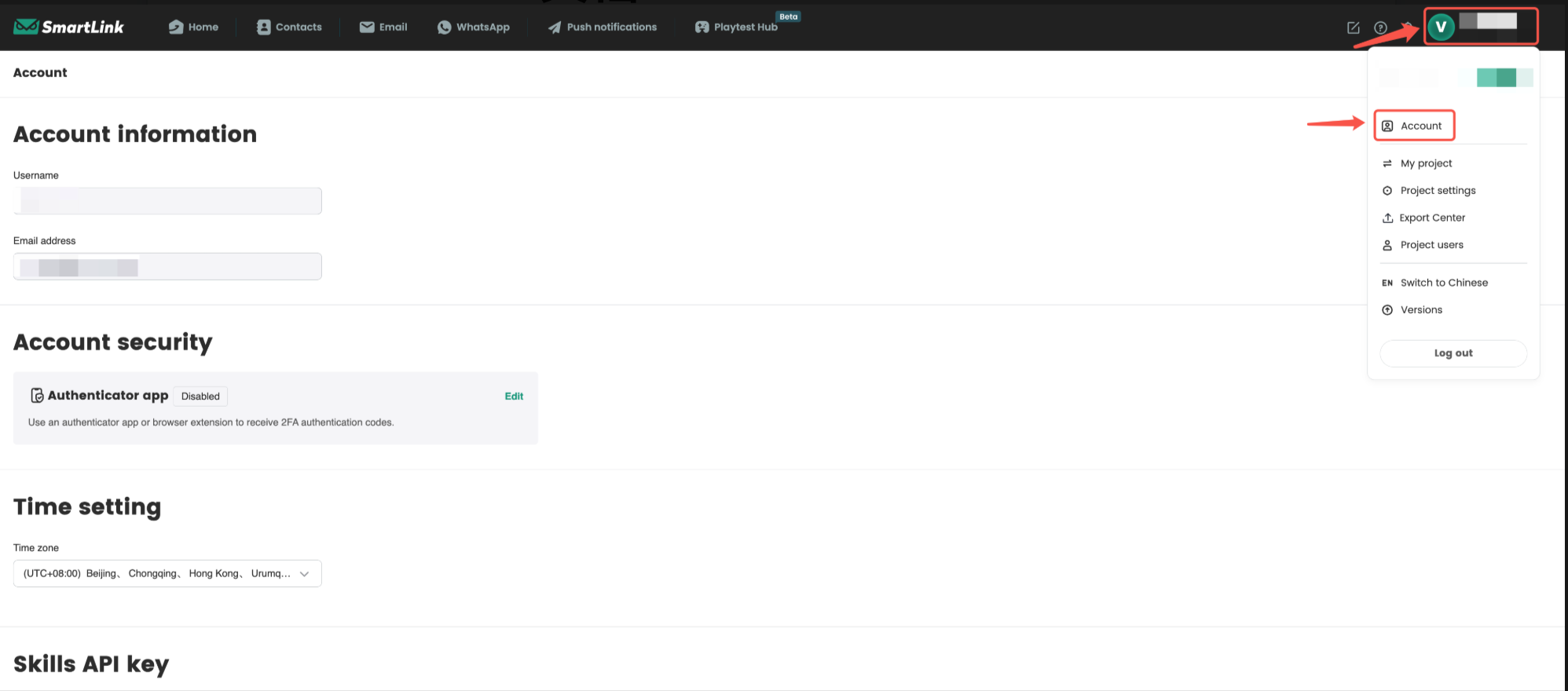
Click Account Center to open the Skill API creation page.
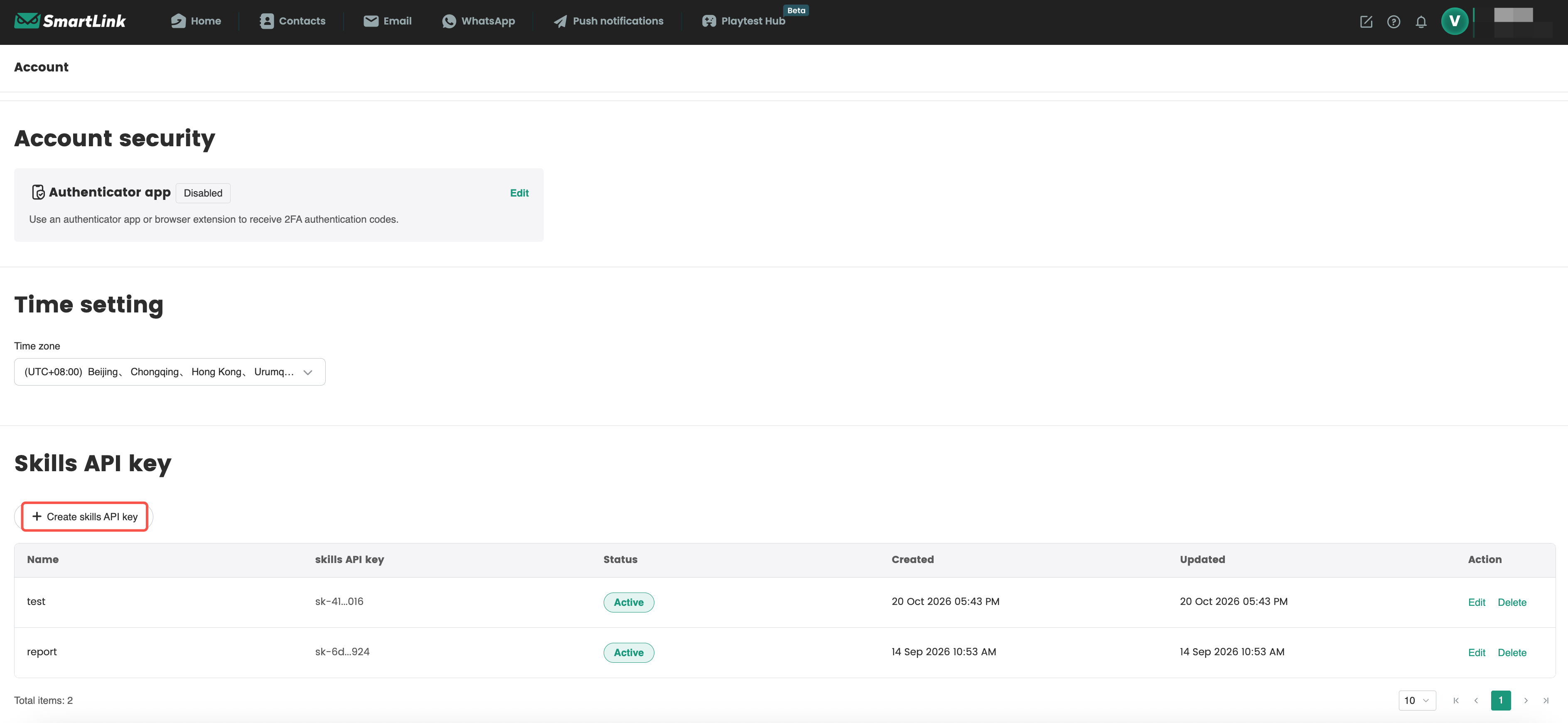
Click Create API Key.
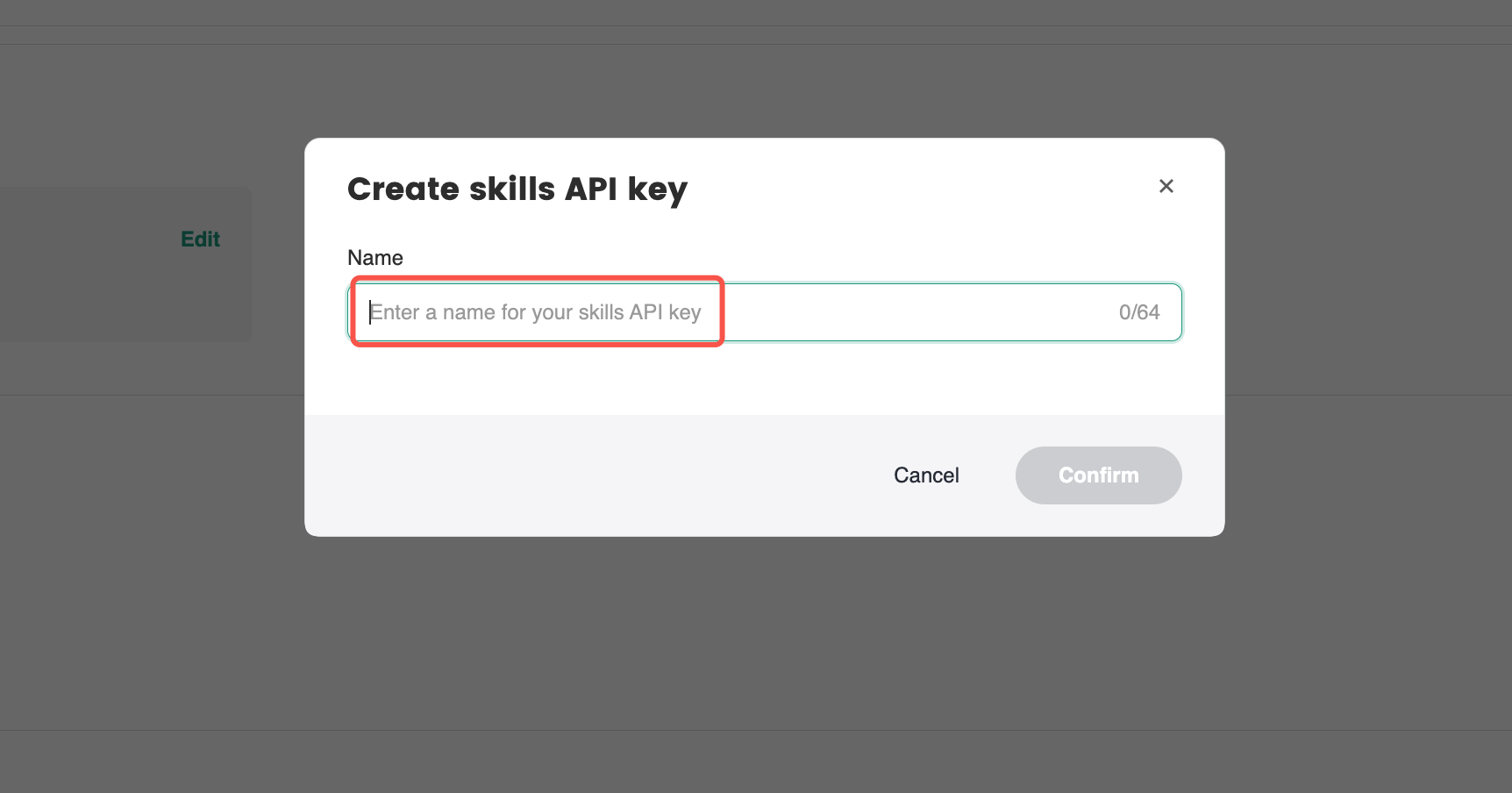
Enter a name for the key (any name is fine).
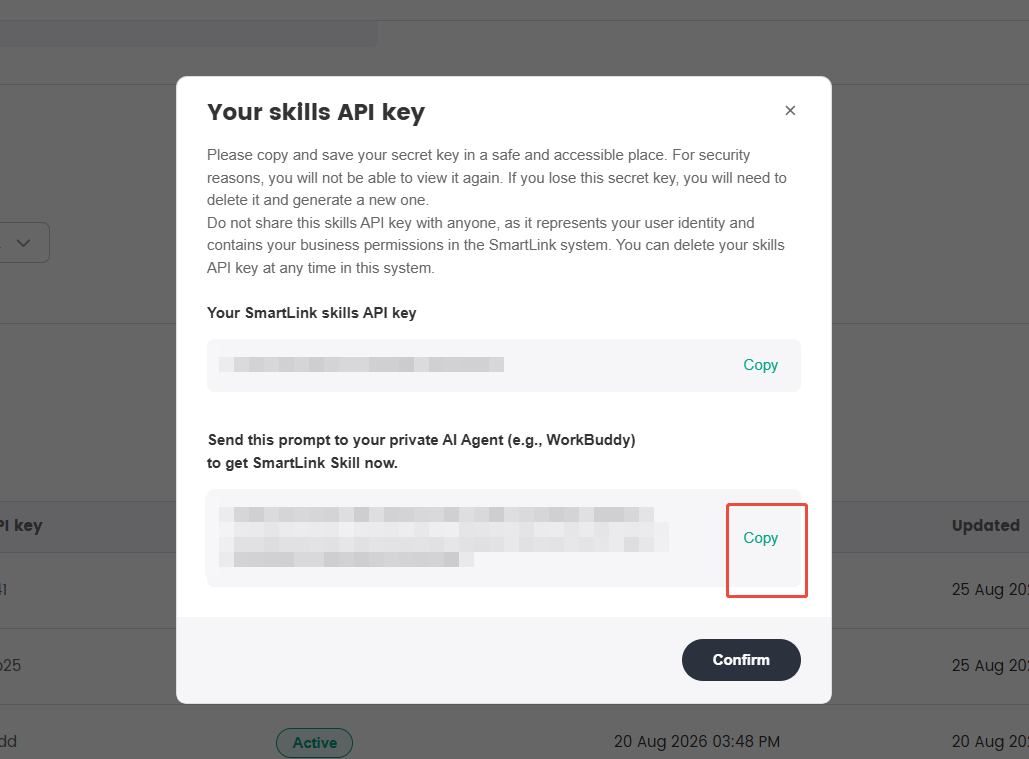
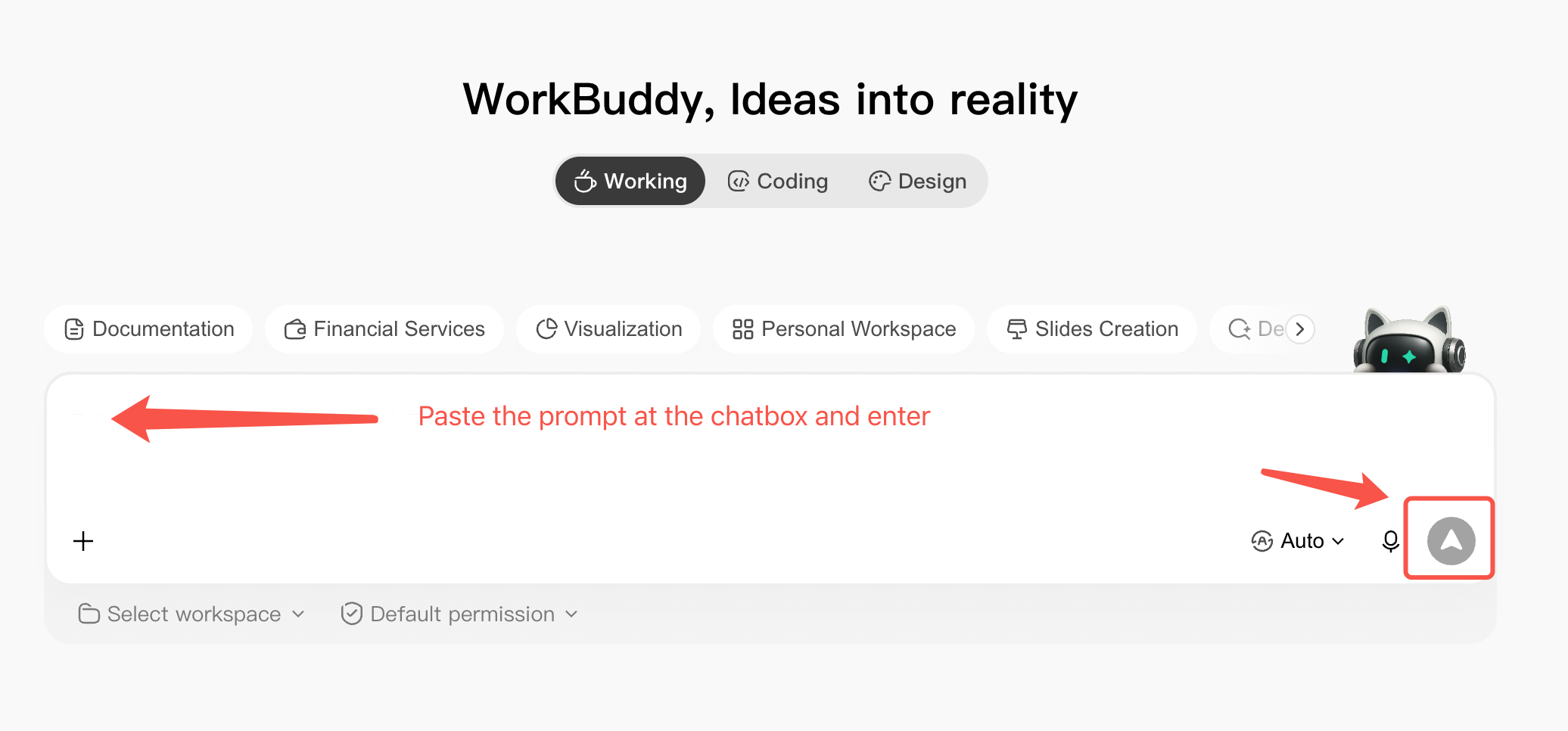
Copy the text shown on the page and send it as a message to your AI platform (e.g. WorkBuddy). The skill will be installed automatically. Once installed, you can use the agent through conversation.